CowSync Guide › My Herd & genetics
Auction Analyzer
Bring in a sale catalog by PDF, pasted text or from the preloaded list, and rank every lot against your herd.
The Auction Catalog Analyzer reads a sale catalog for you. AI pulls out every lot with its pedigree and EPDs or WBVs, then scores each one against the females (or males) in your herd so you can see which lots would do your program the most good before sale day. It handles US AWA and Australian Breedplan catalogs. Open it from Research → Auction in the menu.
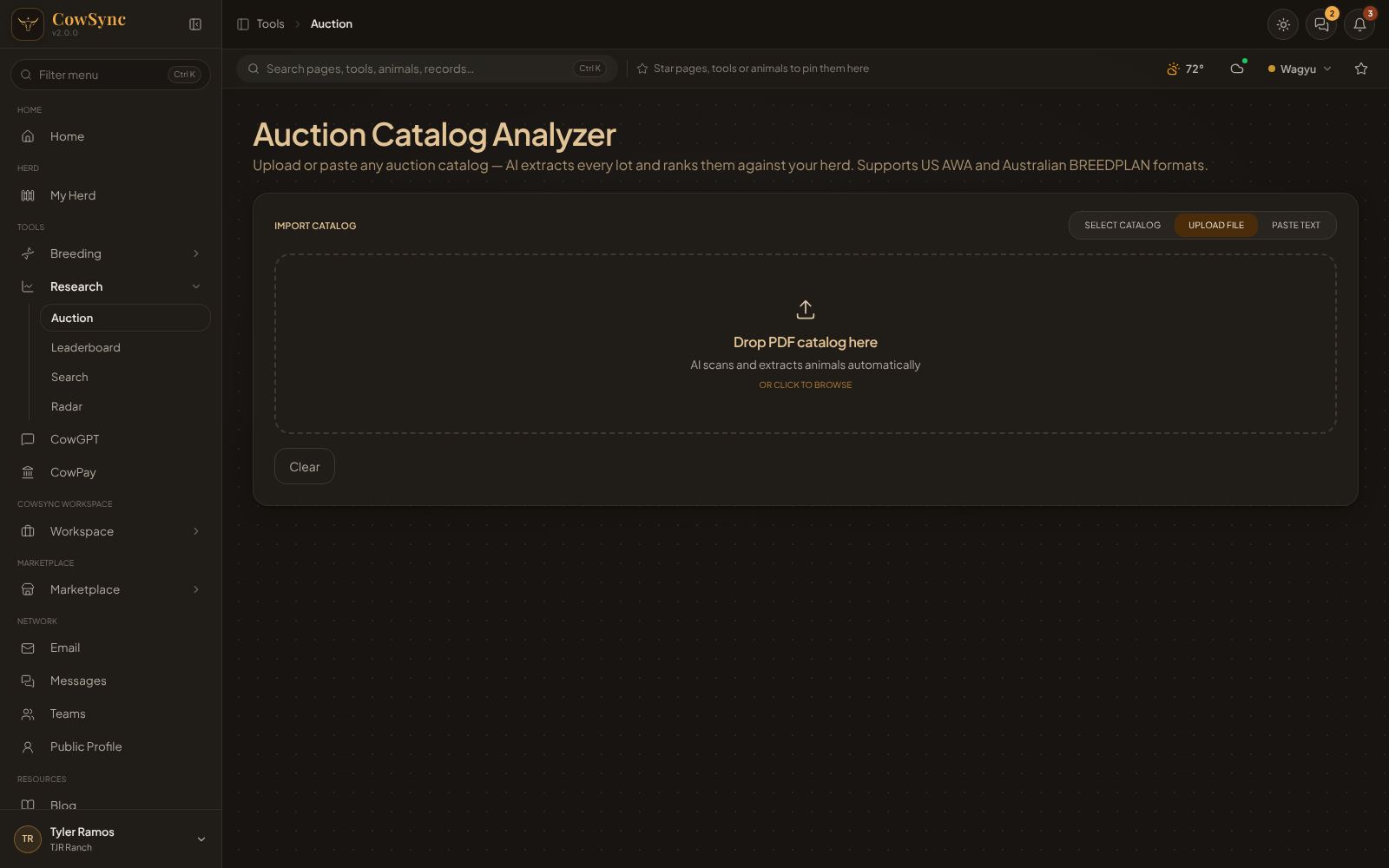
Step 1: Import the catalog
Under Import Catalog, pick one of the three tabs:
Upload File
- Drag the PDF onto Drop PDF catalog here, or click the box to browse.
- CowSync shows a Scanning Catalog progress bar. When it's done you're taken to the analysis page automatically.
- If the lots look wrong, come back to this screen. Re-scan catalog (ignore cache) reads the PDF again from scratch instead of reusing the earlier reading, and Re-extract with Text Mode tries a different way of reading the same file.
Paste Text
- Copy the catalog text (from a website or email) and paste it into Paste catalog text here…
- Click Extract Animals with AI.
Select Catalog
- Browse the preloaded sale catalogs. Search by sale name or member, and filter with All, Sale, Semen or Embryo.
- Click a column heading (Name, # Lots, Types, Member, Location, Sale Date & Time) to sort.
- Click a row to view the catalog (Preloaded Sale Catalog page with its lots as Cards or a Table), or click Load to send it straight to the analyzer.
Clear empties the box. If a catalog is already loaded, Continue to Analysis → takes you back to it.
Step 2: Extracted Animals
The analysis page has two tabs: Extracted Animals and Optimal Pairings. The first lists every lot found ("N animals extracted").
- Search by name, lot or registration.
- Filter with the round buttons: Bulls, Cows, Heifers, Semen, Embryos; Fullblood, Purebred, F1; American, Australian, Dual. Open the EPD filters to set a lowest and highest value (Min/Max) for traits.
- Each card shows the lot number, sire and dam, and traits. If the reading missed something, open the lot's edit window (Edit lot data · only visible to you) and fix it. Click the ✕ on a card to remove a lot you're not interested in.
- Click a lot to Predict Offspring: tick one or more of your herd animals and click Predict Offspring (N) to see the calves.
Step 3: Rank against your herd
- Under Set Goals & Analyze, tap goals such as More Marbling, Heavier Carcass, Larger Rib Eye, Better Weaning Growth, More Yearling Growth, Easier Calving, More Milk or More Backfat.
- Optional: Describe your goal in your own words.
- Click Rank All N Catalog Animals Against My Herd.
Step 4: Optimal Pairings
The Optimal Pairings tab ranks every lot with a score out of 100 ("/100 match"). Each lot shows Why Buy, its Indices, and Projected Offspring (avg across your herd) including herd inbreeding.
- Sort by Top Score, IMF (or MS), CWT (or CWt) or Price ↑.
- When the catalog has both, switch between All, US AWA and AU Breedplan.
- Search the ranked list.
- If your herd has no females in that lot's registry, the lot is scored on its own merit instead of on its calves, and a note says so.
Right-click a lot
Add to my herd, Predict offspring, Inspect offspring, Inspect lineage, Inspect progeny, Predict with this animal, Find best match, Run in simulator (bulls and semen) and Add to Mating Planner.
Past analyses
Recent auction analyses are kept at the top of the analysis page; click one to reload it. To start fresh, click ← Import a Different Catalog.