CowSync Guide › Marketplace
Marketplace: buying and selling
The Marketplace, opening soon, is where you will browse and sell Wagyu cattle, semen, embryos and pregnancies, order mating programs, and track your own listings.
The Marketplace is where Wagyu breeders will buy and sell cattle, semen, embryos and pregnancies, and order mating programs from other ranches. It is in the main menu under Marketplace, with three parts: Listings, Packages and My listings.
Ask for early access
- Open any Marketplace page from the menu. The Coming Soon page appears.
- Click Request Early Access.
- Fill in your Name, Email and a Message: tell us about your operation and what you would list or buy.
- Click Request Access. You will see “You’re on the list”, and we will email you when it opens.
Browse listings
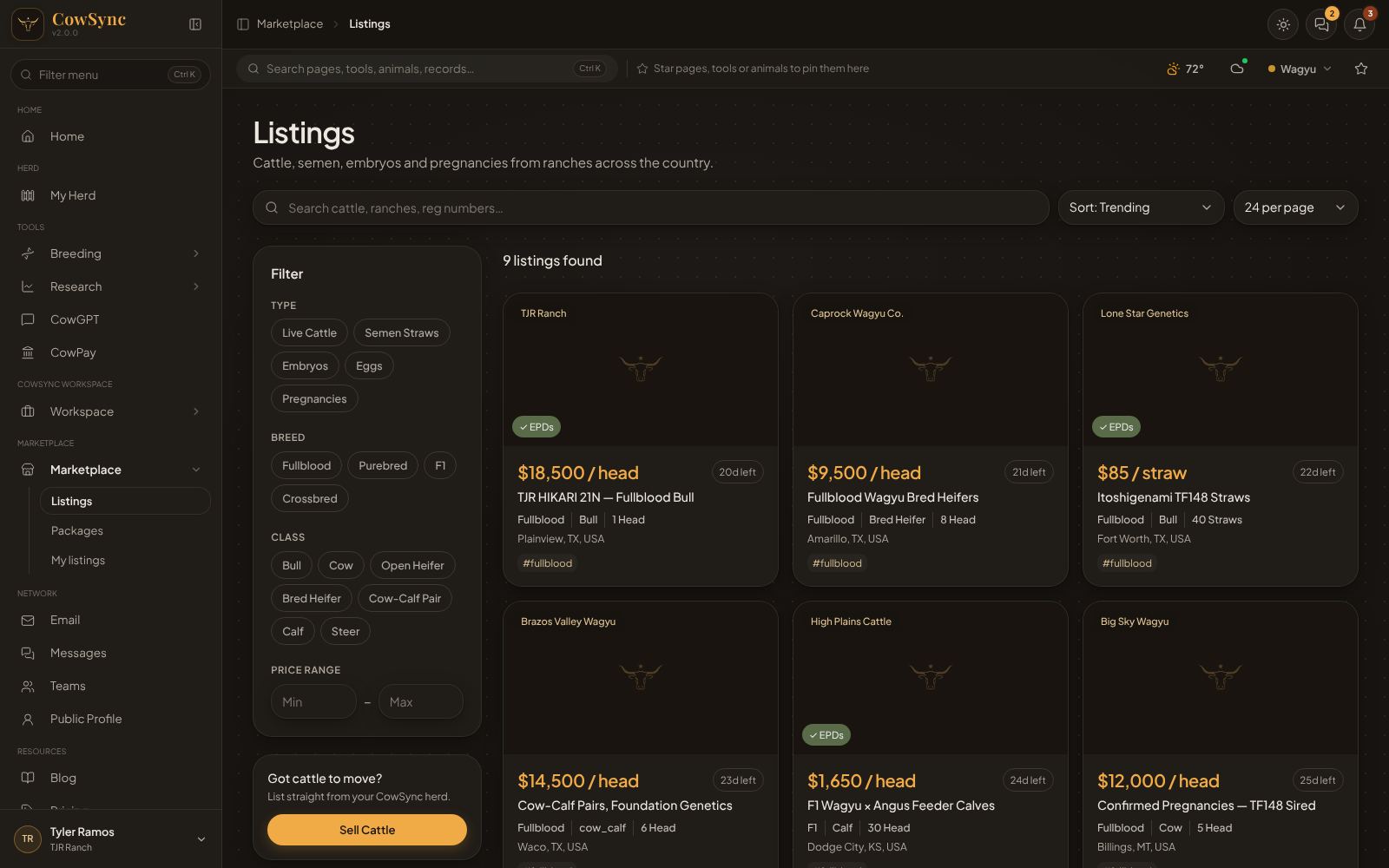
Each card shows the ranch, the price (per head, per straw or per embryo), how many days the listing has left (such as 20d left), a green EPDs tag when EPDs are attached, the breed, class, head count, location and hashtags. Sold listings carry a Sold banner.
- Type in Search cattle, ranches, reg numbers… at the top.
- Sort with Sort: Trending, Sort: Newest, Price: low to high or Price: high to low.
- Choose 12, 24 or 48 per page. Page buttons are at the bottom.
Filters
- Type: Live Cattle, Semen Straws, Embryos, Eggs, Pregnancies.
- Breed: Fullblood, Purebred, F1, Crossbred.
- Class: Bull, Cow, Open Heifer, Bred Heifer, Cow-Calf Pair, Calf, Steer.
- Price range: type a Min and Max.
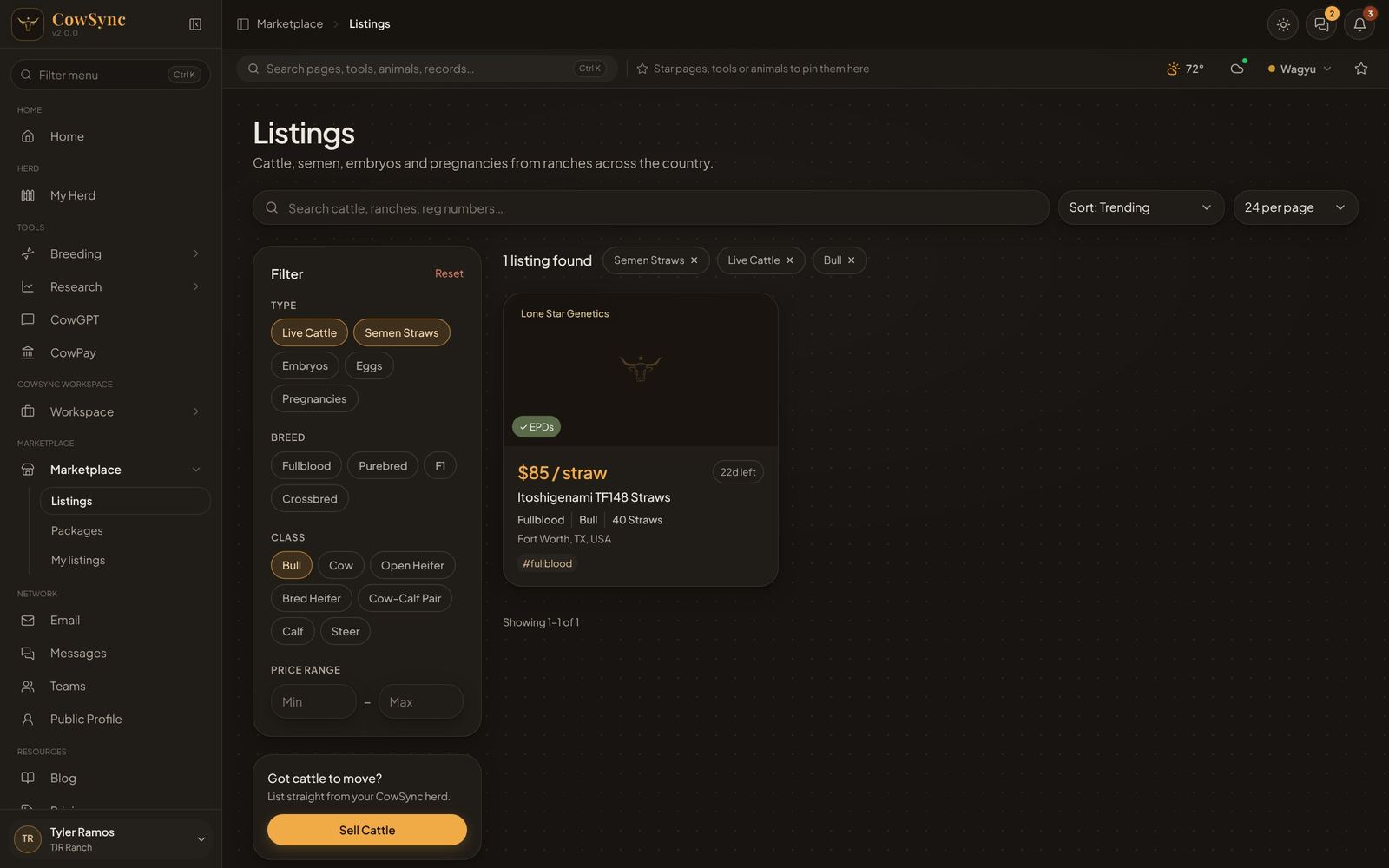
You can pick more than one in each group. Each choice shows as a tag above the results, next to the count (“1 listing found”). Click the × on a tag to drop it, or Reset to clear everything. Click a hashtag on a listing to see every listing with that hashtag.
A listing page and contacting the seller
Click a card to open it. You will see the photos (click through them if there are several), the hashtags, Description, EPDs and Seller. To ask about it:
- In the Contact Seller box, fill in your name, email, phone (optional) and a message.
- Click Send Inquiry. You will see “Inquiry sent”. The seller gets it under their inquiries and by email.
Packages: order a mating program
A package is a mating program from one ranch. You pick a sire and a dam from the ranch’s animals, then choose how it arrives: straws, embryos, a confirmed pregnancy or a live calf.
On the Packages page, search with Search programs or ranches…, filter by Delivery (Straws, Embryos, Pregnancies, Live Calves), Ranch (Find a ranch…) and Price range, and sort by Sort: Featured, Sort: Newest or price. A package page lists the Sires and Dams (each with Inspect), About this program and Order this program.
- Under Order this program, click a delivery option. “Quote” means the ranch will price it for you.
- Click Build a Calf. Choose the sire, then the dam, then how the mating should arrive.
- Your choice goes into Your Cart. Click Checkout, then Submit Order.
No payment is taken online. The ranch sends you the invoice and payment details directly. Ask a Question takes you to the ranch’s page to message them first.
Ranch pages
Click a ranch name to see its page: the ranch’s story, its active listings and published packages, and a form to message the ranch (“What are you looking for?”) with a Send Message button.
Selling: create a listing
- Click Sell Cattle on the Listings page, or + New Listing on My listings.
- Start from your herd (optional): pick an animal from My Herd. Its registration number, EPDs and photo carry onto the listing. Or leave it as Manual listing, no herd animal.
- The basics: listing title, type (Live Cattle, Semen Straws, Embryos or Confirmed Pregnancy), class, breed and how many (head, straws or embryos).
- Pricing: a price per head, per straw or per embryo, or tick Contact for price.
- Location: city, state and country.
- Photos: up to 6. The first one is the cover.
- Hashtags (such as #fullblood #highimf #foundation) help buyers find you. Then write a description: health records, delivery, the story.
- Click Publish Listing — runs 60 days.
Selling: create a package
- On My listings click + New Package.
- Name it (for example “Fullblood Mating Program”).
- Choose Sires and Dams from your herd, up to 5 of each. Buyers pick one of each.
- Under Delivery options & prices, add each option (Semen Straws, Embryos, Confirmed Pregnancy or Live Calf) with a quantity and price. Use + Add option for more.
- Add a cover photo if you like (JPEG, PNG or WebP, under 8 MB) and a description, then click Publish Package.
My listings
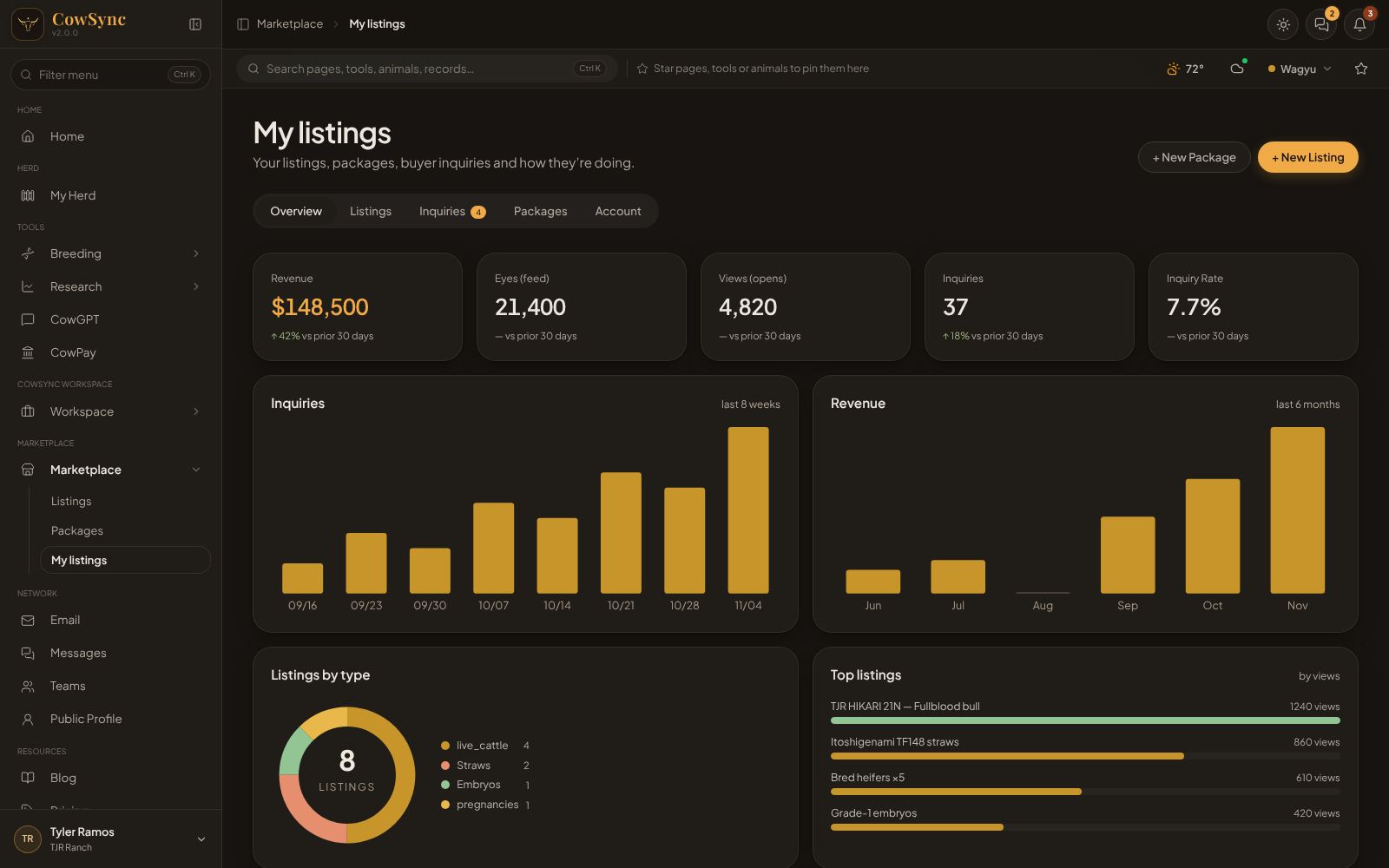
Across the top are five tabs:
- Overview: cards for Revenue, Eyes (feed) (how often your listings were shown), Views (opens) (how often they were opened), Inquiries and Inquiry Rate, each compared with the 30 days before. Below are charts of inquiries over the last 8 weeks, revenue over the last 6 months, Listings by type and Top listings by views.
- Listings: a table with Listing, Price, Views, Expires (days left) and Status. Click Mark Sold when it sells, or Delete.
- Inquiries: every buyer message and package order, with name, email, phone, the listing or package (and the sire × dam and option they chose) and their message. A gold number on the tab counts new ones. Click Reply to answer by email.
- Packages: your published packages with their options and views.
- Account: your seller profile. Set the ranch / seller name, location, website, Instagram handle, a bio (up to 400 characters) and a photo, and check How buyers see you. Click Save Profile. Changes show on all your listings and packages straight away.