CowSync Guide › Team & communication
CowGPT assistant
CowGPT is the chat assistant that answers questions about your cattle, the breed and how to use CowSync, with tables and animal cards you can add to your herd.
CowGPT is a chat helper you type questions to, in plain English. It knows your herd and the Wagyu breed data in CowSync. Open it by clicking CowGPT in the main menu. Ask it to find the best bull for a trait range, rank your herd, compare two animals or explain how a CowSync screen works.
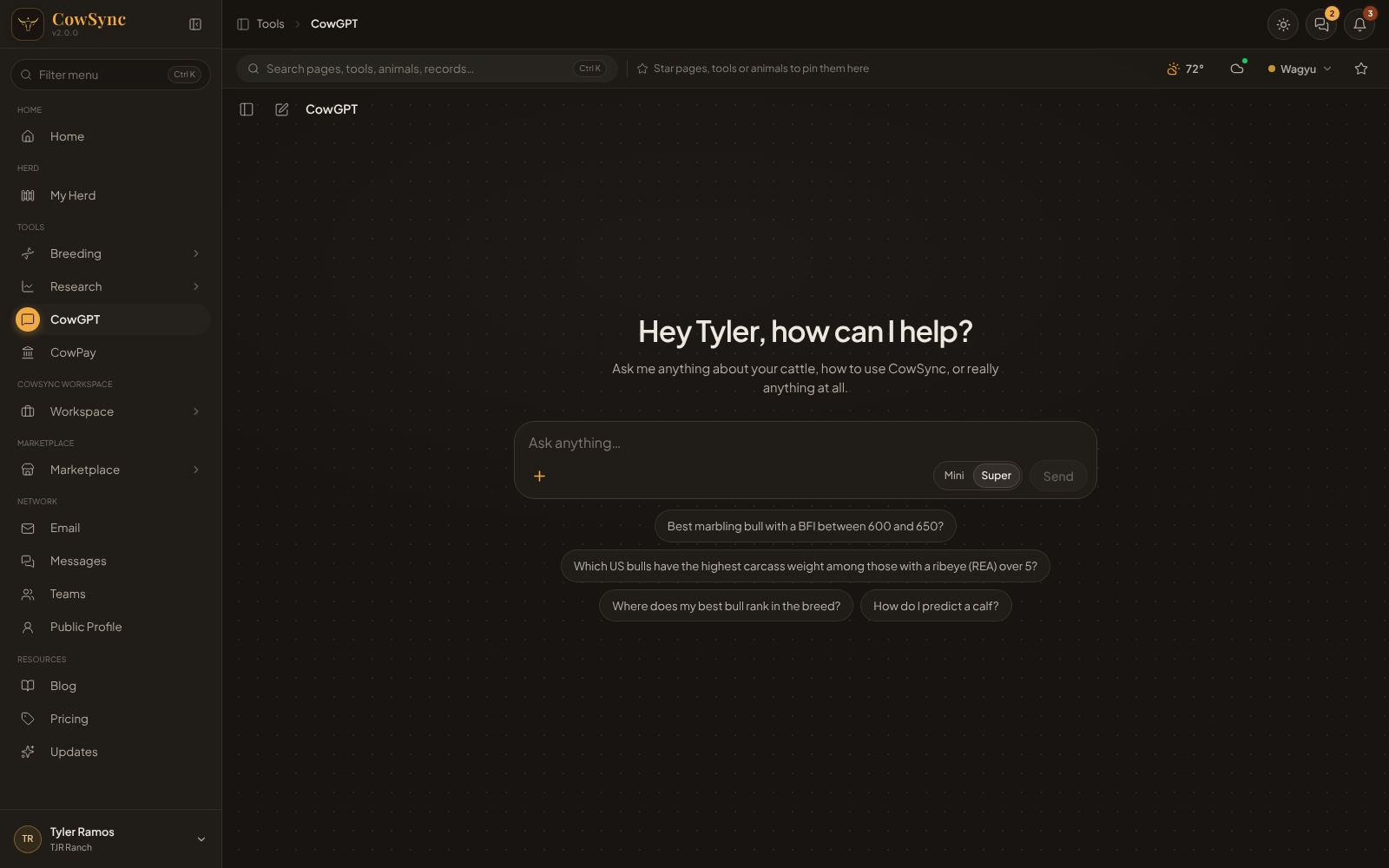
Ask a question
- Type in Ask anything… and press Enter (or click Send).
- Watch “CowGPT is thinking…”. Click the stop button to stop an answer early.
- Read the answer. Tables, animal cards and links to CowSync pages appear right in the reply.
Suggestions on the start screen include “Best marbling bull with a BFI between 600 and 650?” and “Where does my best bull rank in the breed?”.
Mini or Super
The switch in the question box picks how hard CowGPT thinks. Mini gives a faster answer. Super is slower but gives a better answer. CowGPT remembers your choice.
Slash commands
Type / to see shortcuts that fill in a ready-made question. Change the words in [brackets] before sending.
| Command | Does |
|---|---|
| /predict | Predict a calf (“Predict the calf from [sire] and [dam]”) |
| /pairings | Best matings in my herd |
| /top | Top animals in the breed |
| /filter | Filter the leaderboard by trait range |
| /myherd | Rank my herd |
| /rank | Custom ranking by two traits |
| /compare | Compare two animals side by side |
| /related | Are two animals related? |
| /help | What can I do here? |
Attach a file
Click + (Attach a file) to send a sale catalog, spreadsheet or photo with your question. It takes PDF, Word (.docx), Excel (.xlsx), spreadsheet exports (CSV, TSV), text files and pictures (PNG, JPG, WebP, GIF), up to 25 MB each.
Animal cards
When CowGPT shows animals, each card carries a tag for its scoring system: US · EPD, AU · WBV or AK · EPD. For a real registered animal you can add it to your herd from the card and choose its labels. See My Herd and Labels & tags.
Your chats
Click Show chats (the panel button at the top left) to see past conversations, grouped as Today, Yesterday, Previous 7 days, Previous 30 days and Older. Use Search chats to find one, New chat to start fresh, and right-click a chat for Open chat or Delete chat. Under each answer you can Copy the text or Rerun it.
Other places CowGPT helps
- In Messages, type @cowgpt in any chat.
- Each Workspace tool has its own AI assistant bar for logging and finding records.