CowSync Guide › Documents & records
Spreadsheets
Excel-style workbooks with formulas, several sheets, charts, CSV import and export, and an AI helper that can fill cells for you.
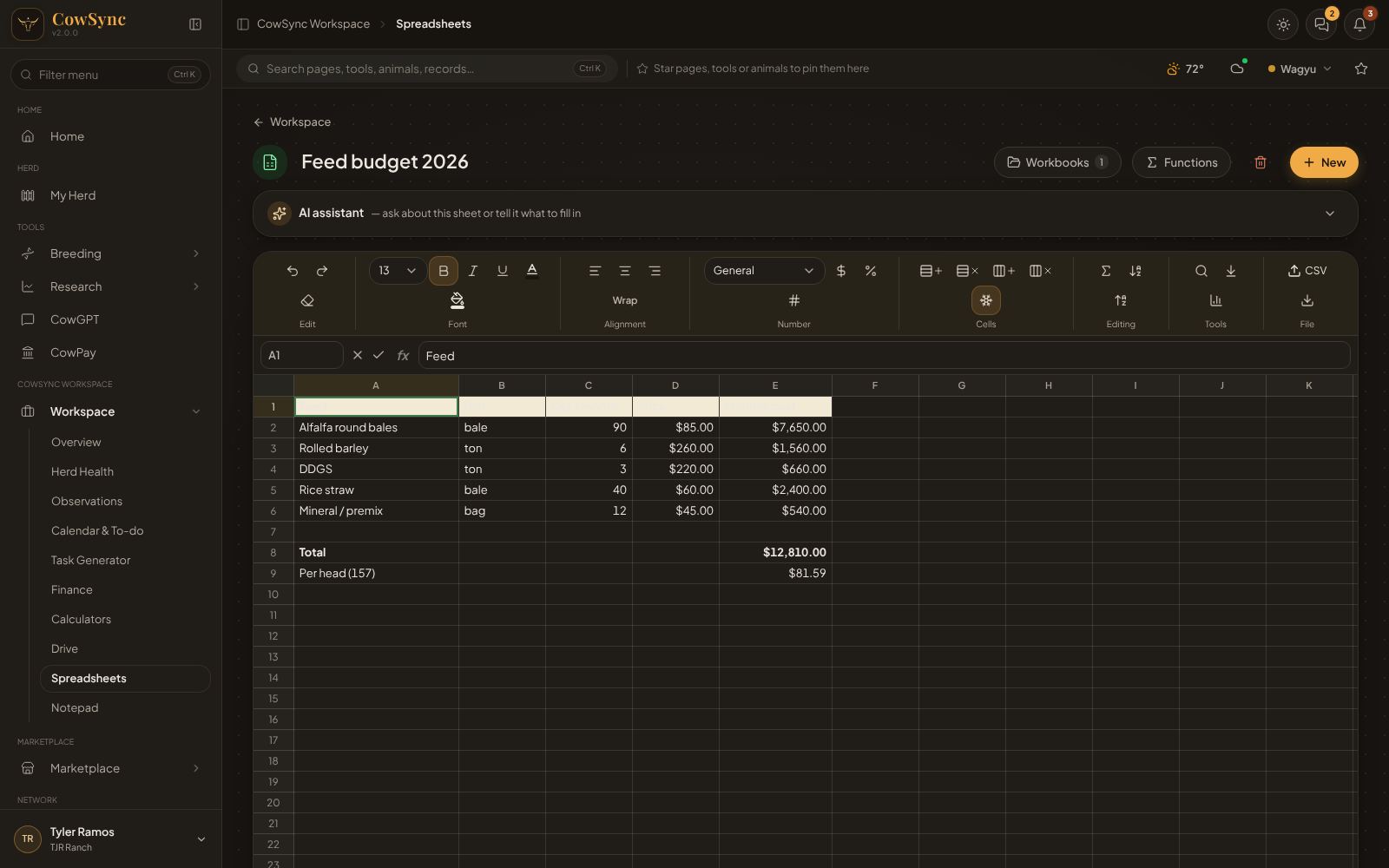
Spreadsheets is a full spreadsheet, like Excel or Google Sheets, built into CowSync. Use it for feed budgets, weight logs, sale lot sheets or any table you want laid out your own way. A spreadsheet file is called a workbook, and it saves by itself as you type. To open it, click Workspace in the menu, then Spreadsheets.
Before you make one, the page reads No workbooks yet.
Start a workbook
Click New. You can start from:
- Templates: Blank workbook, Feed cost per head, Weight log & ADG, Herd budget (annual), Breeding & due dates, Semen inventory, Sale lot sheet and Long-fed Wagyu steer P&L. Each comes with the formulas already set up.
- From your Workspace data: pick any Workspace list (weights, treatments, expenses and so on) and CowSync builds a workbook from those records.
Click the name at the top to rename the workbook. Workbooks (with a count) opens all of them, sorted by last edit, with search, duplicate and delete. Functions lists every function you can use. The trash button deletes the open workbook.
Typing and moving around
- Click a cell and type. Press Enter (or F2) to edit a cell, Tab to move right, and the arrow keys to move. Shift + arrows selects a block.
- The name box on the left of the formula bar shows the cell (B7) or range (A1:D9). The fx bar shows what is really in the cell, including formulas. Use the check mark to accept and x to cancel.
- Delete clears cells. Ctrl+C, Ctrl+X and Ctrl+V copy, cut and paste, and they work with Excel and Google Sheets too. Ctrl+Z and Ctrl+Y undo and redo.
- Drag the edge of a column heading to make it wider.
Formulas
Start with an equals sign: =B2*C2/2000, =SUM(D2:D5). Use ranges like A1:A10, fixed references like $B$1, and other sheets like 'Sheet2'!B4. There are about 49 functions, including:
- Math: SUM, AVERAGE (or AVG), MIN, MAX, MEDIAN, STDEV, COUNT, COUNTA, COUNTBLANK, ROUND, ROUNDUP, ROUNDDOWN, INT, ABS, SQRT, POWER, MOD.
- Logic: IF, AND, OR, NOT, IFERROR, SUMIF, COUNTIF, AVERAGEIF.
- Lookup: VLOOKUP, XLOOKUP, INDEX, MATCH.
- Text: CONCAT (or CONCATENATE), TEXTJOIN, LEN, UPPER, LOWER, TRIM, LEFT, RIGHT.
- Dates: TODAY, DAYS, EDATE, DATEADD, YEAR, MONTH, DAY.
- Money: PMT for loan payments.
- Ranch functions:
ADG(new weight, old weight, days)andDUEDATE(bred date, 285).
If something is wrong, the cell shows an error such as #DIV/0!, #REF, #N/A, #NAME? or #CYCLE (a formula that refers back to itself).
The ribbon (the row of buttons)
The buttons above the grid are grouped by job. Hover over a button to see its name.
| Group | What it does |
|---|---|
| Edit | Undo, Redo, Clear formatting |
| Font | Size, Bold, Italic, Underline, text color, fill color |
| Alignment | Left, Center, Right, Wrap |
| Number | General, Number, Whole number, Currency, Percent, Date, plus quick $, % and # buttons |
| Cells | Insert or delete a row or column, Freeze header row |
| Editing | AutoSum, Sort A→Z, Sort Z→A |
| Tools | Find & replace (Ctrl F / Ctrl H), Fill down (Ctrl D), Chart from selection |
| File | Import CSV as new sheet and Export this sheet as CSV. A CSV is a plain spreadsheet file that Excel, Google Sheets and most bank or sale-barn systems can open. |
Right-click any cell for Cut, Copy, Paste, Fill down, Sort, Chart from selection…, Insert row above, Insert column left, Delete row, Delete column and Clear cells.
Sheets and size
Sheet tabs sit along the bottom. Click + for a new sheet, double-click a tab to rename it, and right-click to delete it. Under the grid, + 50 rows and + 5 columns make room. Select some numbers and the status bar shows their Sum, Average, Min, Max and Count.
Charts
- Select a block with labels in the first column and numbers beside them (for example A1:B12).
- Click Chart from selection. Give it a Title and choose Bar, Line or Pie.
- Click Add chart. Charts sit in a panel beside the grid and update when the cells change. Use the pencil to edit and the trash can to remove.
The AI assistant
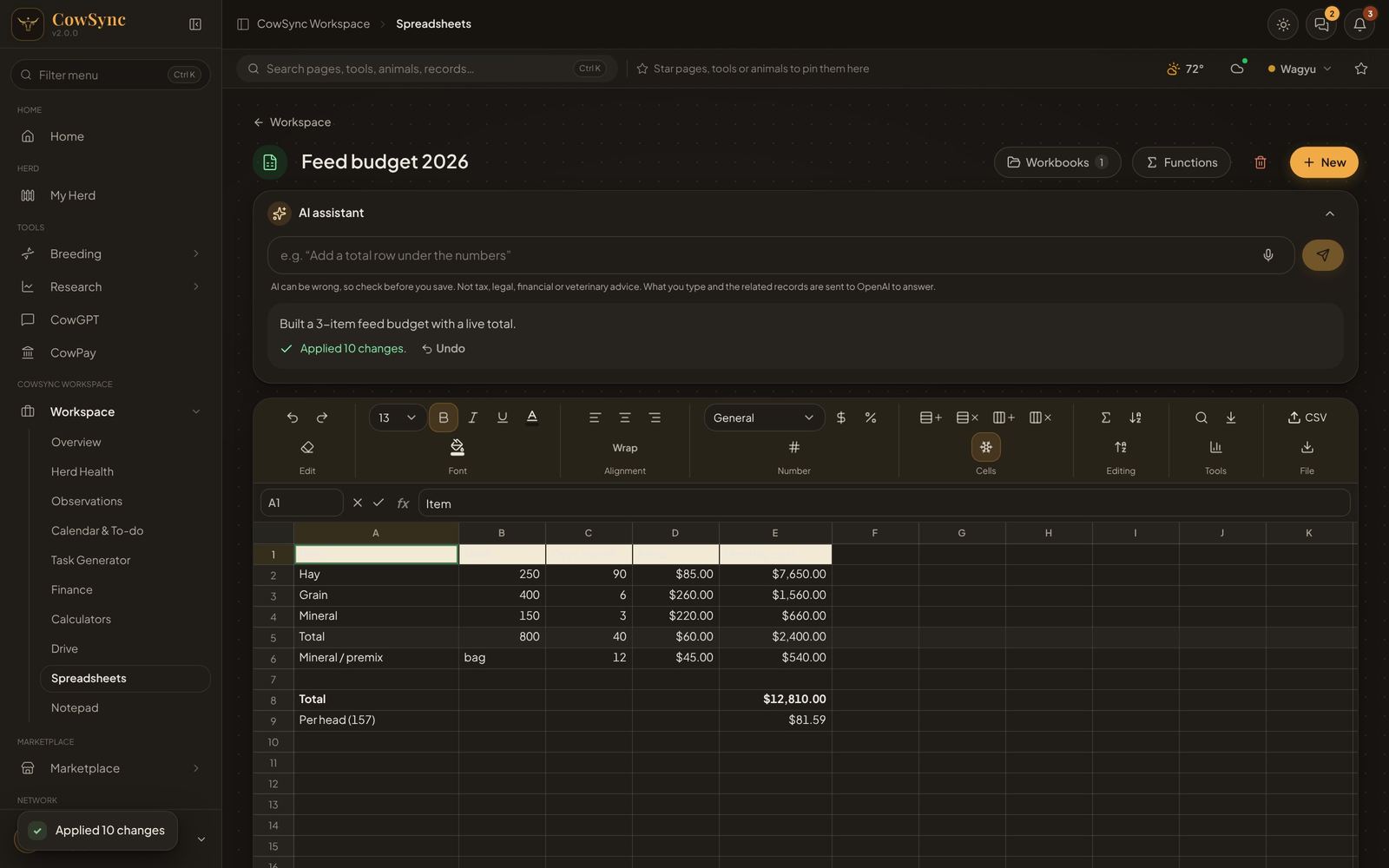
In Advanced mode, open the AI assistant bar above the ribbon and tell it what you want in plain words, such as “Add a total row under the numbers”, “Make column D the profit: C minus B” or “Fill A2:A13 with the months of the year”. It reads the open sheet, makes the changes using formulas where it can, and tells you how many it made, for example “Applied 10 changes”. Click Undo if you do not like the result.