CowSync Guide › Operations
Calendar, to-do & reminders
A full calendar and to-do list that also shows due dates from your health, breeding and other records, with repeating tasks and reminders.
Calendar & To-do is your ranch planner. It shows your own tasks and, alongside them, due dates from the rest of the Workspace: boosters, withdrawals, preg checks, expiries and more.
To open it, go to Workspace and click the Calendar & to-do tile. The Reminders tile opens this same page.
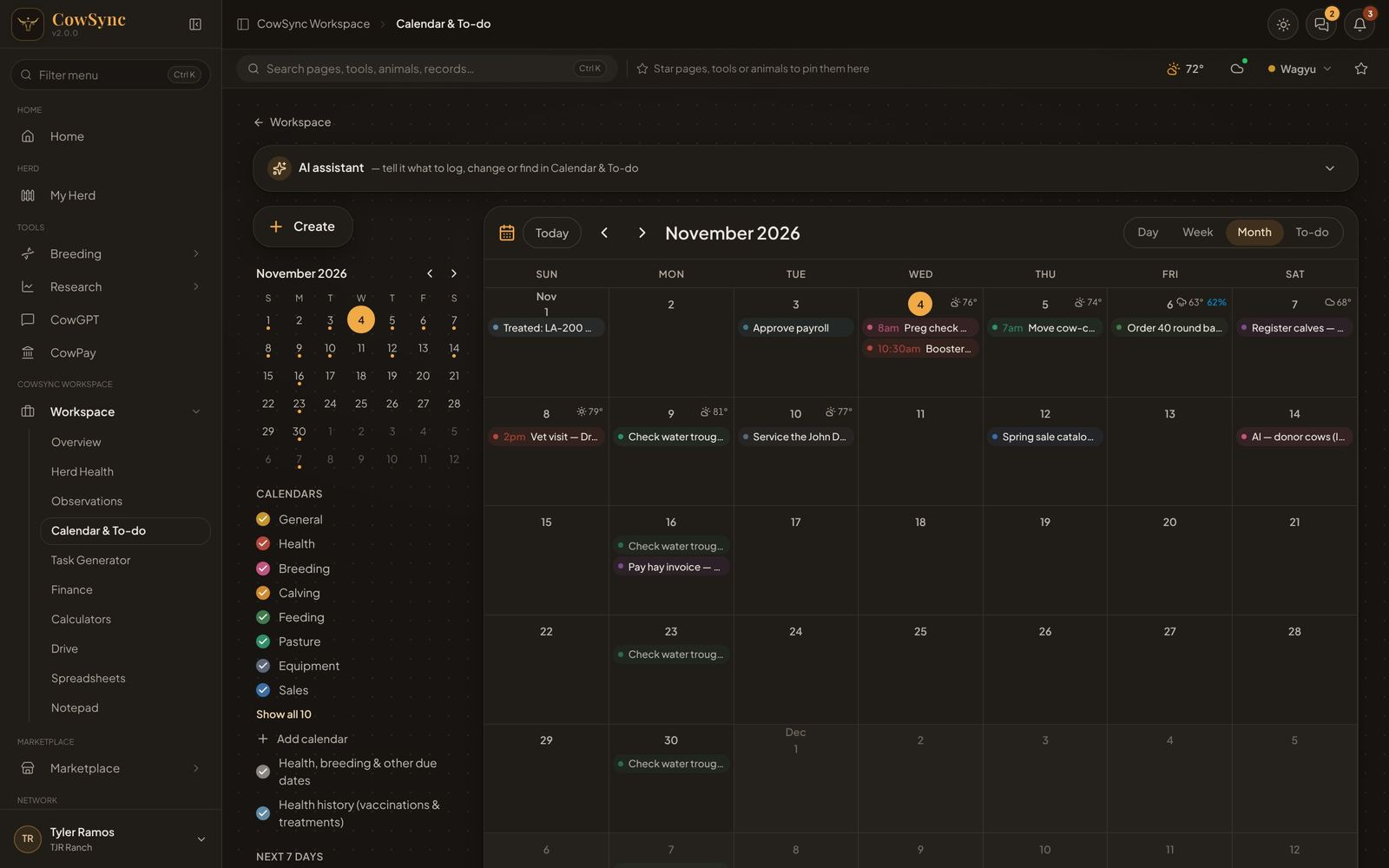
What's on the screen
- Create (top left): add a task or event.
- A small month calendar. Days with something on them have a gold dot. Click a day to jump to it.
- Calendars: your categories, each with its own color. Untick one to hide it. The first eight show; click Show all for the rest.
- Two extra layers: Health, breeding & other due dates (grey) and Health history (vaccinations & treatments) (blue). Untick to hide.
- Next 7 days: a short list of what's coming up.
- Turn on reminders: lets CowSync pop up notices on this computer or phone. (The button goes away once they are on.)
- The main area: Today, back and forward arrows, the date, and the view buttons Day, Week, Month and To-do.
The AI assistant sits above the calendar. Try "Remind me to check water troughs every Monday", "Move all of tomorrow's tasks to Friday" or "What's on this week?"
The four views
- Month: up to three items per day, then "… more". Upcoming days show the weather forecast. Click a day number to open that day. Click an empty part of a day to add a task on it.
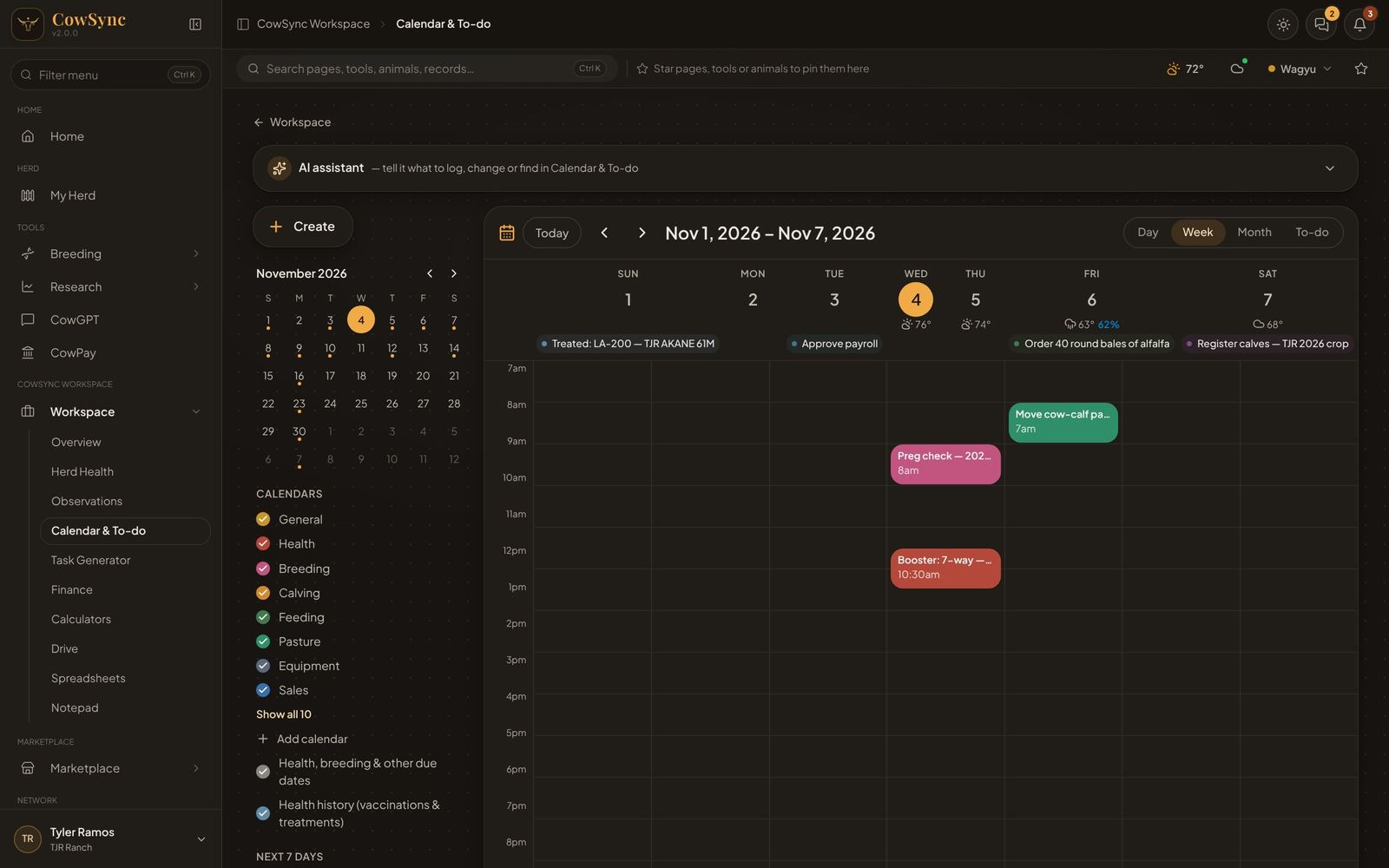
- Week and Day: an hour-by-hour grid. Tasks with a time sit at their hour; all-day items sit at the top. A red line marks the current time. Click any hour to add a task starting then.
- To-do: a checklist grouped into Overdue, Today, Next 7 days and Later, then From your other tools and a folded-up Completed list. Tick the circle to mark a task done. When there is nothing left it says "All caught up."
Add a task
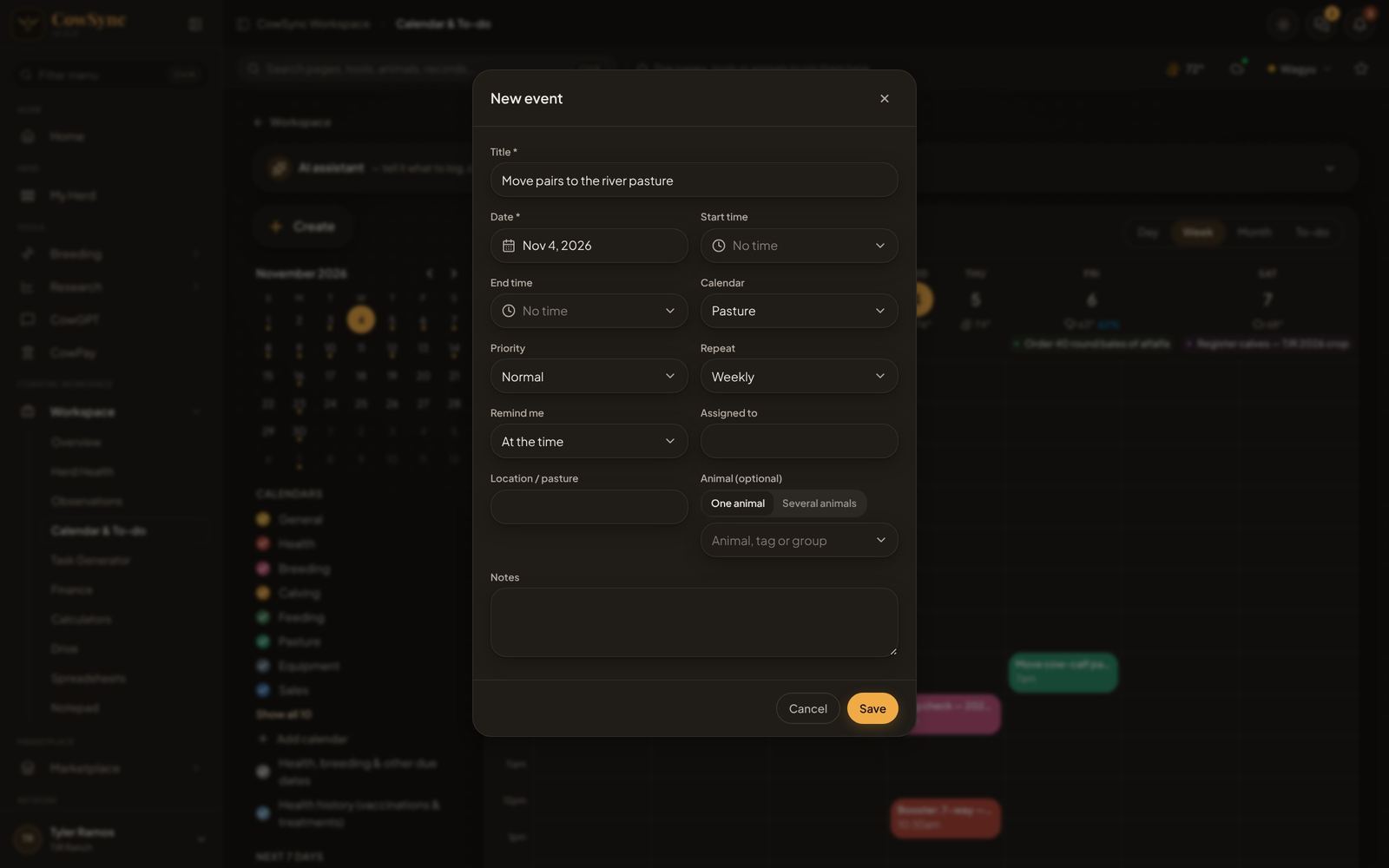
- Click Create, or click a day or an hour.
- Fill in Title and Date (required).
- Optional: Start time, End time, Calendar (category), Priority (Normal, High, Low), Repeat, Remind me, Assigned to, Location / pasture, Animal (optional) (pick One animal or Several animals, then type a tag or group) and Notes.
- Click Save.
Repeating tasks
Repeat choices: Does not repeat, Daily, Weekly, Every 2 weeks, Monthly, Every 3 months, Yearly. Future repeats show a little lighter on the calendar. When you mark a repeating task done, the next one is created for you.
Right-click menus
- On a task: Edit (or just click it), Mark done / Mark not done, Move to tomorrow, Move 1 week later, Duplicate, log it as an expense, save it to a note, add it to the ideas board, Delete.
- On a day: New task on this day, Open day view.
Reminders
CowSync reminds you in three ways:
- Due dates from other tools. With Health, breeding & other due dates ticked, the calendar shows upcoming items from your records for the next 120 days, such as vaccine boosters, withdrawal dates and expiries. Overdue ones turn red. Click one to see a details card with Open (the record it came from), Make it a task and Day view. Right-click for the same choices.
- Health history. Past vaccinations and treatments show in blue so you can see what was done when. Click one for the animal, product, dose, who gave it, cost, and booster or withdrawal.
- Pop-up notices. Click Turn on reminders and allow notifications in your browser. While this Calendar page is open, you get a notice when a task is due, using each task's Remind me setting (at the time, 15 min, 1 hour, 1 day or 1 week before). Tasks with no time remind you at 8 am.
Calendars (categories)
Ten come ready: General, Health, Breeding, Calving, Feeding, Pasture, Equipment, Sales, Office, Staff. Click Add calendar, type a name and click Add (paste several separated by commas to add them all at once). Once you have more than ten, a filter box appears to find one quickly. Right-click a calendar for Show only this, Show all, Change color or Delete category. General cannot be deleted. Categories are shared with the Task generator.